What Refurbished Actually Means
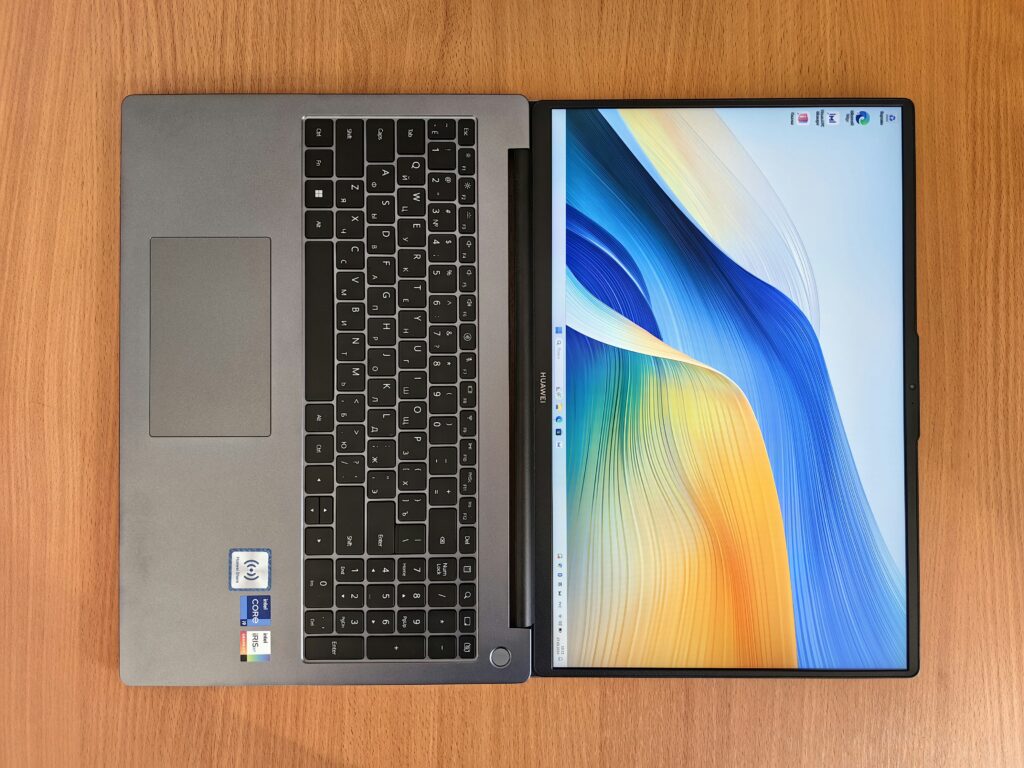
Let’s clear something up: refurbished doesn’t just mean used. A used laptop is sold as is, maybe a little dusty, battery questionable, no guarantees. A refurbished one? It’s gone through some level of inspection, cleaning, repair, and testing often by the original manufacturer or a certified technician. In many cases, it’s nearly indistinguishable from new, at least on the inside.
Most certified refurbished laptops come with some kind of warranty, even if it’s limited. That’s a layer of safety you simply don’t get with a hand me down or random marketplace buy. Add to that the fact that reputable sellers back what they sell, and the deal becomes a lot less risky.
There’s also the environmental angle. Refurbished devices keep electronics in circulation longer, reducing e waste and the demand for new manufacturing. For students trying to live and spend consciously, that’s a bonus worth noting. You save money, and the planet breathes a little easier. Not bad for secondhand.
Pros for Student Life
Refurbished laptops make a lot of sense for students who need something that works without wrecking their budget. You’re not paying a premium for shiny packaging you’re paying for raw function. And most of the time, that function delivers.
Plenty of refurbished models cover the basics with ease: word docs, internet research, video calls, and handling dozens of browser tabs during late night study sessions. These tasks don’t need cutting edge specs, but they do need reliability and that’s where good refurbs come in.
Surprisingly, some of these models even pack modern specs: SSDs, decent processors, and solid screens. This puts students in reach of laptops from brands like Dell, HP, Apple, and Lenovo systems that might be out of budget when bought new.
If you’re not gaming all day or editing 4K video, a well reviewed refurbished laptop can be a smart, lean tool that gets the job done for far less cash.
What to Watch For

Buying refurbished can be a smart move but only if you know what to look for. Not all refurbished laptops are created equal, and being aware of potential trade offs can make all the difference.
Warranty Limitations
Unlike new devices, refurbished laptops may come with shorter or limited warranties. This is especially important for students who plan to rely on their device heavily for daily tasks.
Always check how long the warranty lasts (e.g., 90 days vs. 1 year)
Look for options that allow returns or have a satisfaction guarantee
Certified refurbished products usually offer better warranty coverage than random resellers
Battery Health Concerns
A refurbished laptop may still have its original battery, which can mean reduced lifespan and performance over time.
Carefully read the product description for battery condition details
Some sellers replace old batteries others don’t
If possible, choose laptops with verified battery test results or replacements included
Software Compatibility
Refurbished devices might not always support the latest operating systems or software updates.
Check the laptop’s specs against current OS requirements (Windows or macOS)
Consider whether you’ll need specific software for classes and whether it will run smoothly
Older models could struggle with video editing, design programs, or newer browser versions
Trustworthy Sellers Matter
It’s tempting to grab a deal from a random online seller, but your best bet is sticking with reputable sources.
Buy from manufacturer certified refurbishers (Apple, Dell, Lenovo, etc.)
Trusted retailers like Amazon Renewed, Best Buy Outlet, or Back Market have higher standards
Avoid marketplace listings with unclear return policies or no repair history information
By paying attention to these four areas warranty, battery, software, and seller reputation you can avoid disappointment and land a laptop that supports your student needs for years to come.
Value vs. New Devices
When comparing refurbished laptops to brand new models, it’s helpful to look beyond surface level pricing. Students can often get more value for their money by considering what matters most: performance, durability, and longevity.
Budget New vs. Premium Refurbished
Instead of settling for a cheap new laptop with basic components, many students are choosing refurbished versions of higher end models. These often come with better internal specs and more robust build quality.
Key Comparison Points:
Build Quality
New budget laptops may use lower grade materials to keep costs down
Refurbished laptops from premium lines (like Dell XPS, MacBook, ThinkPad) often feature stronger casings, better keyboards, and improved thermal design
Performance
Budget models usually feature entry level processors and minimal RAM
Refurbs may offer better CPUs, more RAM, and SSD storage even if slightly older
Features
Budget devices may lack higher screen resolutions or solid connectivity options
Refurbished laptops often include more ports, backlit keyboards, and higher res displays
Bang for Your Buck
Refurbished laptops can deliver more value per dollar, especially when purchased from certified dealers. You might spend the same or less for a machine that performs better and lasts longer.
Higher performance to cost ratio
Access to features typically only found in mid to high end models
Think About Lifecycle
While a shiny new device may seem like the safest bet, consider how long it will hold up under daily student use.
Ask yourself:
Will this device last at least 3 4 years with typical academic workloads?
Does it support current software and OS updates?
Can hardware be upgraded or serviced if needed?
Well maintained refurbished models often extend their usefulness past that of some brand new entry level devices, making them a smart choice for budget conscious students.
Tip: Always check the condition grade (like “excellent” or “good”) and battery health to estimate true longevity.
Staying Current With Tech as a Student
Tech doesn’t wait around. Between OS updates, bloated software, and shifting hardware standards, most laptops start to feel outdated within a couple of years. For students, that can create expensive pressure to always be upgrading. But refurbished laptops take some of the edge off. They stretch your dollars further and buy you breathing room before the next big tech leap.
Instead of blowing your budget on the newest model, you can grab a reliable refurb that handles everything from essays to video calls then use the leftover money to grab noise canceling headphones, a portable monitor, or whatever else helps you stay productive. It’s not about cutting corners, it’s about making smarter plays.
Want a deeper look at how students are keeping up without going broke? Check out the latest student tech trends.
Final Word: Are They Worth It?
For most students, the answer is yes but only if you take the time to do it right. Refurbished laptops can be a smart, affordable way to get the tools you need without draining your budget. But don’t go in blind. Compare models, check the seller’s reputation, and read the fine print about warranties and return policies.
This isn’t something to rush. A little research up front helps you avoid duds and land a machine that can actually keep up in class, on Zoom, or during late night writing sessions. You won’t always get the latest bells and whistles, but for most academic tasks, you don’t need them.
Plus, with tech moving fast, it pays to stay updated not just on hardware, but where the industry is heading. Staying current helps you make smarter choices down the road, whether it’s your next upgrade or peripheral add ons.
Need help keeping up? Explore how to stay ahead with student tech trends.
 Thrysen Yelthorne is the kind of writer who genuinely cannot publish something without checking it twice. Maybe three times. They came to tech tutorials and guides through years of hands-on work rather than theory, which means the things they writes about — Tech Tutorials and Guides, Emerging Technology Trends, Expert Analysis, among other areas — are things they has actually tested, questioned, and revised opinions on more than once.
That shows in the work. Thrysen's pieces tend to go a level deeper than most. Not in a way that becomes unreadable, but in a way that makes you realize you'd been missing something important. They has a habit of finding the detail that everybody else glosses over and making it the center of the story — which sounds simple, but takes a rare combination of curiosity and patience to pull off consistently. The writing never feels rushed. It feels like someone who sat with the subject long enough to actually understand it.
Outside of specific topics, what Thrysen cares about most is whether the reader walks away with something useful. Not impressed. Not entertained. Useful. That's a harder bar to clear than it sounds, and they clears it more often than not — which is why readers tend to remember Thrysen's articles long after they've forgotten the headline.
Thrysen Yelthorne is the kind of writer who genuinely cannot publish something without checking it twice. Maybe three times. They came to tech tutorials and guides through years of hands-on work rather than theory, which means the things they writes about — Tech Tutorials and Guides, Emerging Technology Trends, Expert Analysis, among other areas — are things they has actually tested, questioned, and revised opinions on more than once.
That shows in the work. Thrysen's pieces tend to go a level deeper than most. Not in a way that becomes unreadable, but in a way that makes you realize you'd been missing something important. They has a habit of finding the detail that everybody else glosses over and making it the center of the story — which sounds simple, but takes a rare combination of curiosity and patience to pull off consistently. The writing never feels rushed. It feels like someone who sat with the subject long enough to actually understand it.
Outside of specific topics, what Thrysen cares about most is whether the reader walks away with something useful. Not impressed. Not entertained. Useful. That's a harder bar to clear than it sounds, and they clears it more often than not — which is why readers tend to remember Thrysen's articles long after they've forgotten the headline.